
Barracuda Email Security Gateway vulnerability: root access without a password, update your email filter
The filter that sorts your email before it reaches Outlook sees everything your business sends and receives: invoices, contracts, password resets. If an attacker takes control of it, they have a front-row seat. That’s exactly what a new Barracuda Email Security Gateway vulnerability allows. It was patched on Monday, November 2, 2026, and explained in detail on Thursday, November 5, by the security firm watchTowr.
Two flaws chain together (CVE-2026-116606, rated 9.3 out of 10, and CVE-2026-111560, rated 8.6). Combined, they give an attacker with no password root access, meaning full control of the appliance. The only condition: being able to reach the appliance’s admin page. No attacks have been publicly reported so far, but the recipe is now public.
Barracuda Email Security Gateway vulnerability: fill in your appliance’s ID card
Before panicking, find out whether you’re affected. Take five minutes with your IT provider to fill in this card:
How four small mistakes add up to root access
None of the mistakes is dramatic on its own. It’s the chain that opens the door:
The chain described by watchTowr
Mistake 1
A failed password change… that lets you in
When a password change request fails, the appliance doesn’t block the request: it gives the attacker a low-privilege user role.
Mistake 2
Backup restore becomes reachable
That small role is enough to reach the function that restores a configuration backup, normally reserved for administrators.
Mistake 3
A secret key written into the code
Backups are protected by a checksum, but the key used to compute it is the same everywhere and ships inside the software. The attacker can build a “valid” fake backup.
Mistake 4
The time zone runs as root
The backup holds a “time zone” field that the appliance later passes to a system command with root rights. The attacker slips their own command into it.
The result: the attacker can read and change the configuration, redirect or copy the email flowing through, and use the appliance as a foothold to move deeper into your network. Barracuda updated its advisory on November 5 to make clear that no authentication is needed, only access to the admin interface.
Which Barracuda products are affected
| Product | Flaw 1 (bypass) | Flaw 2 (root command) | What to do |
|---|---|---|---|
| Email Security Gateway (ESG) | Yes | Yes | Upgrade to 9.4.0.030 or later (patches BNSF-40425 / BNSF-40430). Top priority. |
| Web Application Firewall (WAF) | No | Yes, with an admin account | Apply patch BNADC-16586. |
| Load Balancer ADC | No | Yes, with an admin account | Apply patch BNADC-16586. |
| Message Archiver | No | Yes, with an admin account | Apply patch BNMA-32468. |
| Web Security Gateway | No | Yes, with an admin account | Apply patch BNYF-24789. |
| WAF Control Center | No | Yes, with an admin account | Apply patch BNWF-60060. |
On the five other products, flaw 2 requires an administrator account. The risk is lower, but not zero: a stolen or reused admin password is enough. Use the patch window to change those passwords.
⏱️ Why act even without known attacks
Security appliances at the edge of the network are among attackers’ favourite targets. In 2023, another flaw in this same appliance was exploited for months, to the point where Barracuda asked customers to replace affected units. Once a detailed recipe is published, the first internet-wide scans often follow within days. We saw the same pattern with the Cisco ASA vulnerability and the Zyxel GS1900 zero-day.
Your 6 checks this week
To do with your IT provider
- ☐ Confirm whether you have an Email Security Gateway or another Barracuda product from the table (physical or virtual).
- ☐ Install the patch or upgrade to version 9.4.0.030 or later, then write down the date and version.
- ☐ Close access to the admin page from the internet: office or VPN only.
- ☐ Turn automatic updates back on if they were disabled.
- ☐ Change the admin passwords on your Barracuda appliances and turn on MFA where available.
- ☐ If the admin page was open to the internet: have the logs and configuration reviewed (forwarding rules, added accounts, unknown files) since November 2.
Using a cloud filtering service rather than an appliance? The advisory covers the appliances listed above. Still, ask your provider in writing whether they use one of these products for you and whether the patch has been applied.
How NeoTech can help
We inventory the network and security appliances sitting in your office, check which ones are visible from the internet and apply patches in the right order. Our automated 24/7 monitoring with on-call technician intervention responds if an admin page is attacked or a configuration changes for no reason. Learn about our cybersecurity services.
Book your free cyber check
In 30 minutes, we look at your email filter, your firewall and your other edge appliances, and tell you which ones are exposed and up to date.
Call us at 438-476-2322 or email info@neotechcloudsolutions.com.
Our office: 2572 boul. Daniel-Johnson, office 237, Laval.
Sources
- Barracuda — security advisory for CVE-2026-116606 and CVE-2026-111560 (published Nov. 2, updated Nov. 5, 2026)
- watchTowr Labs — technical analysis of the attack chain
- The Hacker News — Barracuda Email Security Gateway chain enables root access without login
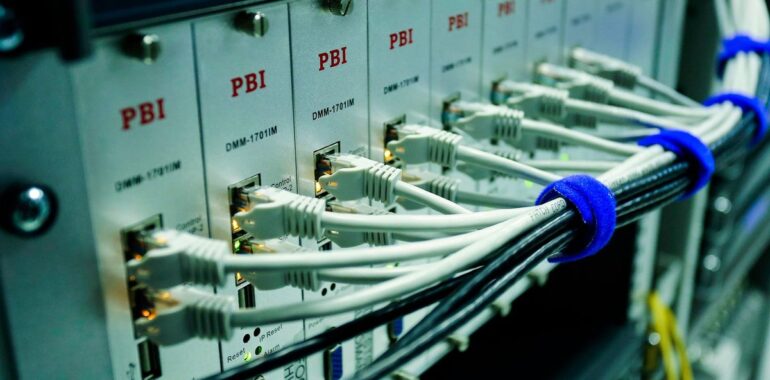
Photo: Sergei Starostin, Pexels (Pexels licence).