
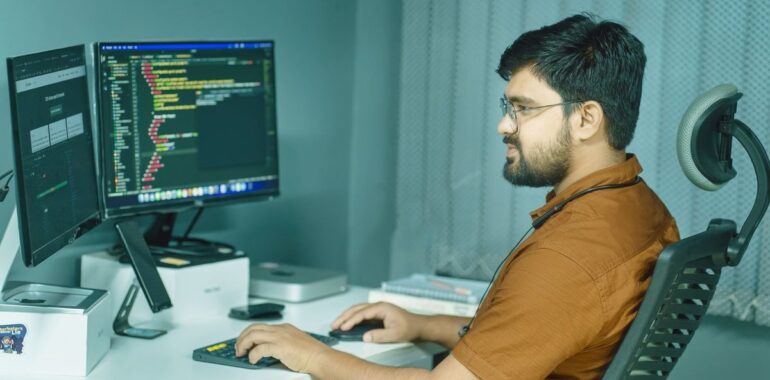
University of Copenhagen breach: does your test environment hold real data?
On Tuesday, October 20, 2026, the University of Copenhagen detected an intrusion. According to the university, the attackers hadn’t reached its day-to-day systems, but one of its test environments. The problem: that test environment held real data on about 525,000 people, including their national ID numbers.
Your small business doesn’t have half a million records. It may, however, have a staging site, a “company copy” in the accounting software, or an old test server holding exactly the same data as production, with much less protection.
What we know, day by day
According to the university, quoted by BleepingComputer and DR, the affected data may include full name, CPR number (Denmark’s personal ID number, a bit like our SIN), work phone, private phone and private email. In its October 23 statement, the university said it had no sign of access to the systems that support its daily operations. The new attack on October 26, however, forced a precautionary shutdown of administrative systems, and the university hasn’t said how the attackers got in or whether any data was accessed this time. According to DR, Aarhus University also reported an intrusion on one of its servers the same week.
What the university hasn’t explained: why real data was sitting in a test environment. So we won’t guess at its setup. The lesson doesn’t depend on that detail.
CPR numbers were already in the news this month: we covered the 123456 password case in Denmark’s CPR registry.
Why a test environment becomes the way in
A test environment is built for trying, breaking and starting over. That is exactly why people let their guard down there. Copy real data into it “so it’s realistic” and you get the same information as production, protected like a rough draft.
Where data copies hide in a small business
At a small business, the test environment isn’t always called that. Here are the six places where we most often find forgotten copies.
🌐 The staging site
A clone of your website or online store, with orders and customer accounts, made to test a redesign or a plugin.
🔎 Where to look: Subdomains like staging., dev., test., or an “/old” folder at your web host.
🧹 What to do: Password-protect it or delete it, and empty the customer tables if it has to stay.
🗄️ The “company copy”
A copy of the accounting or payroll file, made to try an update or train someone.
🔎 Where to look: The list of companies or files in the software, and recent backup files on workstations.
🧹 What to do: Delete it after the test, or replace it with a demo file.
📊 CSV and Excel exports
A customer list exported for a campaign, a migration or a consultant.
🔎 Where to look: The Downloads folder, shared OneDrive or SharePoint folders, sent attachments.
🧹 What to do: Delete the files and remove sharing links that are no longer needed.
🖥️ The old “TEST” machine
A server set up for a migration, never shut down or updated since.
🔎 Where to look: Your hypervisor inventory or cloud console.
🧹 What to do: Shut it down, archive it encrypted, or delete it.
💻 The vendor’s laptop
A database copy sent to a developer to fix a bug.
🔎 Where to look: Ask each vendor in writing what they still keep.
🧹 What to do: Require deletion with written confirmation, and put it in the contract next time.
☁️ A cloud app’s “sandbox”
A training environment in your CRM or billing platform, loaded with real records.
🔎 Where to look: The app’s admin console (sandbox, test environment).
🧹 What to do: Refresh it with fictitious data or delete it.
Backups are copies too. They should be encrypted, with restricted access and a known retention period. That is the foundation of our backup and disaster recovery services.
Mask before you copy: what it looks like
Most tests don’t need the real Julie Tremblay. They need a record that looks like a record. Three options, from safest to least safe:
- Fictitious data generated for the test.
- A masked copy: names, numbers and emails are replaced before the copy leaves production.
- A limited real copy, only if the test truly requires it: as few records as possible, restricted access, multi-factor authentication, logging and a deletion date set in advance.
Example: the same table, before and after masking
❌ Raw copy: what we find far too often in test
| Customer | SIN | Phone | |
|---|---|---|---|
| Julie Tremblay | 123 456 789 | 514 555-0142 | julie.tremblay@example.ca |
| Marc Gagnon | 987 654 321 | 450 555-0177 | mgagnon@example.ca |
✅ Masked copy: enough to test, useless to a fraudster
| Customer | SIN | Phone | |
|---|---|---|---|
| Customer 0001 | *** *** *** | 000 555-0100 | customer0001@test.invalid |
| Customer 0002 | *** *** *** | 000 555-0101 | customer0002@test.invalid |
Entirely fictitious data, for illustration. The test keeps the structure (a name, a number, an email that look valid) without the real person behind them.
⚖️ In Quebec: what Law 25 says about a test copy
- A copy is still personal information. Section 10 requires security measures that are reasonable given, among other things, the sensitivity, quantity, distribution and medium of the information. One more copy means wider distribution.
- System projects are covered. Section 3.3 requires a privacy impact assessment for any project to acquire, develop or overhaul an information system involving personal information. That is the right time to decide which data goes into test.
- When the need ends, so does the copy. Under section 23, once the purposes are achieved, the information must be destroyed or anonymized, subject to any retention period required by law.
- Masking isn’t always anonymizing. Section 12 calls information de-identified when it no longer allows the person to be identified directly. Anonymization must be irreversible and follow a specific regulation.
- If there is an incident, sections 3.5 and 3.8 apply just as they do in production: steps to reduce the risk, notice to the Commission d’accès à l’information and the people concerned if there is a risk of serious injury, and an entry in the incident register.
For information only, not legal advice.
Your test environment checklist for this week
This week: 7 checks on your test environments
- ☐ List every test, staging and training environment, including your vendors’.
- ☐ For each one, note whether it holds real customer or employee data.
- ☐ Take off the internet whatever doesn’t need to be there, or protect it with a password and an IP allowlist.
- ☐ Require multi-factor authentication and remove shared or “temporary” accounts.
- ☐ Replace raw copies with masked or fictitious data for future tests.
- ☐ Delete exports, database copies and “TEST” machines you no longer use.
- ☐ Add a line to your contracts: the vendor deletes copies at the end of the engagement and confirms it in writing.
A forgotten test server often sends no alerts, because nobody added it to monitoring. Our automated 24/7 monitoring with on-call technician intervention covers the servers you entrust to us, including the ones people tend to forget, and our cybersecurity services start with an inventory of what you actually expose. If your site is with a web host, also ask them the right security questions, especially about staging copies.
Book your free cyber check
Not sure how many copies of your customer data exist, or who can reach them? The free cyber check reviews your sites, servers, exports and vendor access, and gives you a clear priority list.
Call us at 438-476-2322 or email info@neotechcloudsolutions.com.
Sources
- BleepingComputer (Bill Toulas, October 26, 2026): University of Copenhagen data breach exposes data of 525,000 people
- DR (October 23, 2026): Københavns Universitet har været udsat for cyberangreb (in Danish)
- University of Copenhagen: Københavns Universitet udsat for hackerangreb (statement and updates) (in Danish)
- University of Copenhagen: Driftsforstyrrelser på KU (October 26, 2026 update) (in Danish)
- LégisQuébec: Act respecting the protection of personal information in the private sector (P-39.1), French version
Photo: Ofspace LLC, Culture, Pexels (Pexels licence).